JsonSQL: Query JSON Like a Database with Plain SQL
JsonSQL: Query JSON Like a Database with Plain SQL
Modern apps love JSON. Developers… not always 😅
Once your JSON files grow beyond a few rows, simple grep, manual inspection, or one-off Python scripts stop being fun. You want to filter records, join collections, flatten nested arrays, group results, and maybe even extend the system with custom functions — without writing a mini data pipeline every time.
That is exactly where JsonSQL fits in.
JsonSQL is an open-source tool that lets you query JSON files using familiar SQL syntax. It treats JSON arrays as tables, supports nested field access, JOINs, aggregates, UNNEST, session-scoped views, plugins, and multiple output formats — all in pure Python 3.8+ with zero dependencies.
Open source repository: https://github.com/gopal-gautam/jsonql
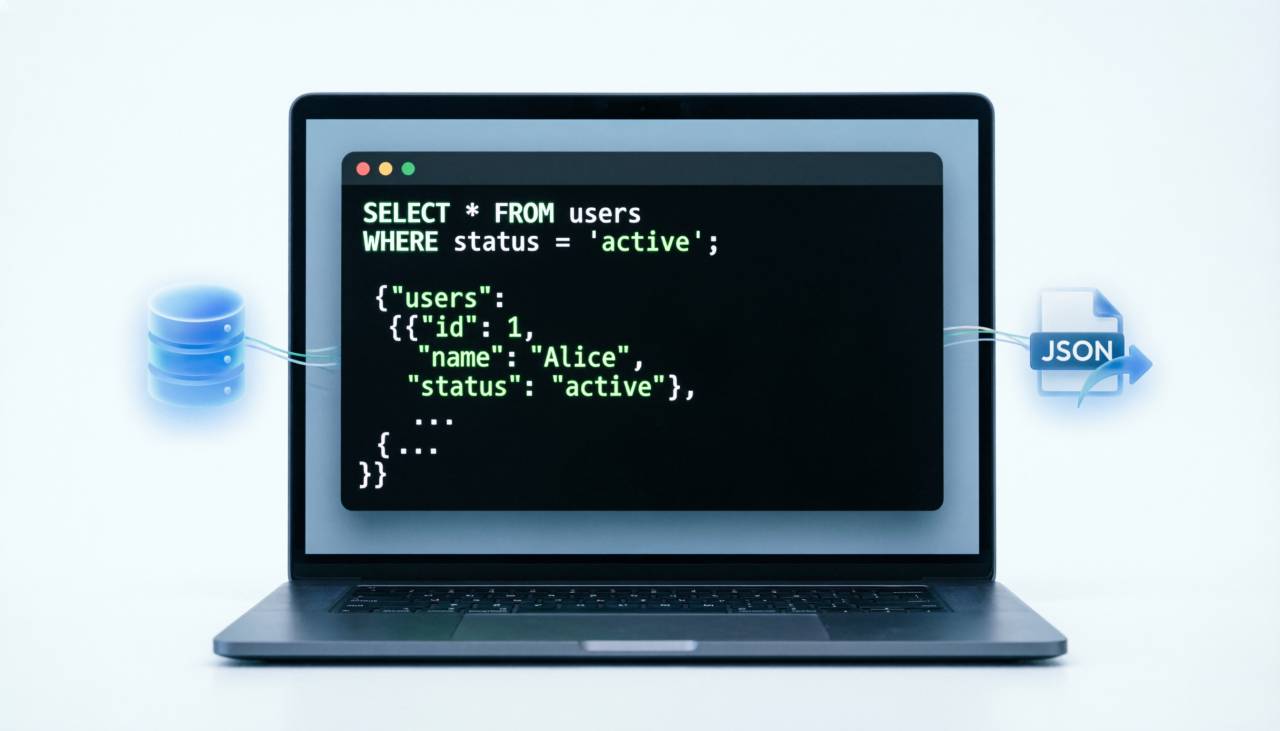
Why JsonSQL is useful
JSON is great as a storage and interchange format, but it gets awkward when you want to answer questions like:
- Which users are older than 30?
- Which orders belong to which users?
- What values are hidden inside nested objects?
- How do I flatten arrays inside records?
- Can I get grouped summaries without writing custom Python code?
JsonSQL solves this by letting you run SQL directly on JSON data, whether your file is a dict of arrays, a plain array, a flat object, or even an array of scalars.
That means less glue code, faster exploration, and a much nicer experience when inspecting structured data.
A quick look
Here is the simplest idea behind JsonSQL:
python jsonsql.py data.json "SELECT name, age FROM users WHERE age > 30"
If your file is just a top-level array, JsonSQL auto-detects it and uses data as the default table name:
python jsonsql.py people.json "SELECT * FROM data"
Or give it a custom table name:
python jsonsql.py people.json --table people "SELECT * FROM people"
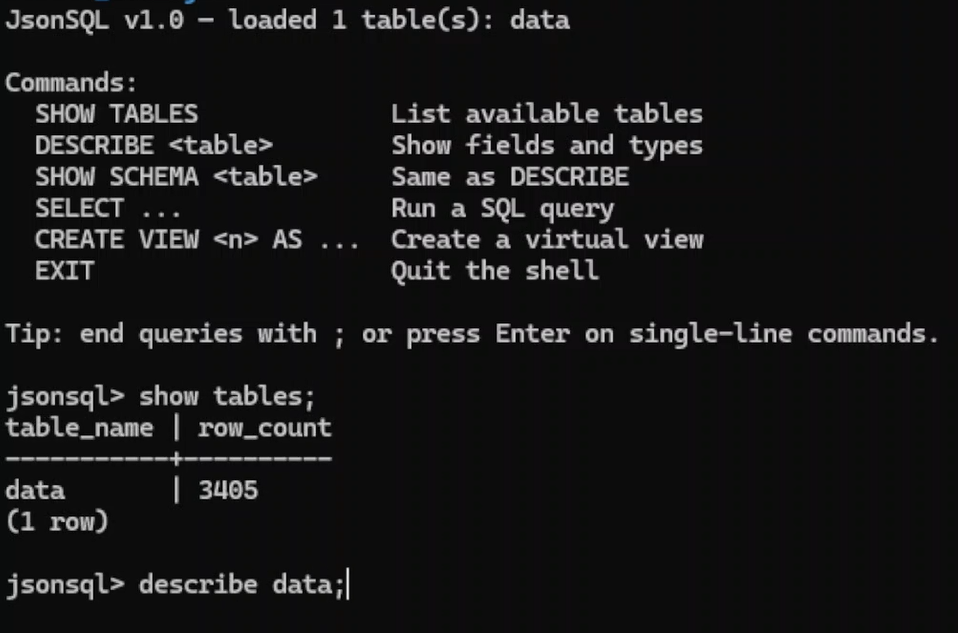
You can also launch an interactive shell by omitting the query entirely.
What makes JsonSQL stand out
A lot of tools can pretty-print JSON. Fewer let you query it with this level of expressiveness while staying lightweight.
JsonSQL includes:
- SQL-style querying over JSON data
- Support for nested fields with dot notation
JOIN,LEFT JOIN, andCROSS JOINUNNESTfor flattening array fields- Aggregates like
COUNT,SUM,AVG,MIN, andMAX GROUP BY,HAVING,ORDER BY,LIMIT, andOFFSET- Interactive shell commands like
SHOW TABLESandDESCRIBE - Session-scoped views with
CREATE VIEW - Extensible plugins for custom functions and output formatters
- Multiple output formats including table, JSON, CSV, and raw output
That is a pretty serious toolkit for something that stays dependency-free.
The command-line experience
The CLI is intentionally straightforward:
usage: jsonsql [-h] [--table NAME] [--format {table,json,csv,raw}]
              [--plugins [DIR ...]]
              file [query]
You provide a JSON file and optionally a query. You can also control the table name for array-based files, choose the output format, and load plugins from one or more directories.
A few examples:
# Default table output
python jsonsql.py data.json "SELECT name, age FROM users"

# CSV output
python jsonsql.py data.json -f csv "SELECT name, age FROM users"

# JSON output
python jsonsql.py data.json -f json "SELECT name, age FROM users"

# Compact raw JSON
python jsonsql.py data.json -f raw "SELECT name, age FROM users"

# Load plugins
python jsonsql.py data.json --plugins ./my_plugins "SELECT CUSTOM_FN(name) FROM users"
It also supports module-style execution:
python -m jsonsql data.json "SELECT * FROM users"
So it fits cleanly into scripts, shell workflows, and automation.
Interactive shell for exploration
One of the nicest parts of JsonSQL is the built-in interactive shell.
Run:
python jsonsql.py data.json
And you get a REPL-like environment with support for:
SHOW TABLESDESCRIBE <table>SHOW SCHEMA <table>- regular
SELECTqueries CREATE VIEWEXITto quit
It also supports arrow-key history, multi-line queries, and immediate execution for meta-commands. That makes it feel much more like a tiny database console than a one-off JSON parser.
Example session:
jsonsql> SHOW TABLES

jsonsql> DESCRIBE users

jsonsql> SELECT name, age
      -> FROM users
      -> WHERE age >= 30
      -> ORDER BY age DESC;

jsonsql> CREATE VIEW seniors AS SELECT * FROM users WHERE age >= 40;

jsonsql> SELECT name FROM seniors;

jsonsql> EXIT
This is ideal for data exploration, debugging, and fast inspection during development.
It works with multiple JSON shapes
A lot of JSON tools assume a single format. JsonSQL is more flexible.
1. Dict of arrays
The most common case: each top-level array becomes a table.
{
  "users": [{"id": 1, "name": "John"}],
  "orders": [{"id": 101, "user_id": 1, "total": 250}]
}
That lets you query each collection separately or join them together.
2. Plain array
If the file is a top-level array, JsonSQL treats it as a single table named data by default, or a custom name if you pass --table.
3. Flat object
A single JSON object becomes a one-row table, which is surprisingly handy for querying config files and metadata blobs.
4. Array of scalars
Even arrays like this work:
[10, 20, 30, 40, 50]
Each value is wrapped as a row with a value field, so you can query it like a normal table.
This flexibility is one of JsonSQL’s biggest practical wins: you do not need to reshape your data first just to ask questions of it.
SQL features you actually want
JsonSQL is not pretending to be a full warehouse engine, but it includes a lot of the SQL that matters in day-to-day work.
Filtering with WHERE
You get comparisons, LIKE, IN, BETWEEN, IS NULL, boolean logic, and more:
SELECT * FROM users WHERE age >= 18 AND age <= 65;
SELECT * FROM users WHERE name LIKE 'A%';
SELECT * FROM users WHERE department IN ('Engineering', 'Marketing');
SELECT * FROM users WHERE phone IS NOT NULL;
Nested field access with dot notation
This is huge for JSON:
SELECT name, address.city, address.country FROM users;
SELECT * FROM users WHERE address.country = 'Australia';
Instead of writing custom extraction code, you just query nested fields directly.
Flattening arrays with UNNEST
Json arrays inside records often become annoying fast. JsonSQL handles that with CROSS JOIN UNNEST(...):
SELECT name, skill
FROM users
CROSS JOIN UNNEST(skills) AS skill;
And for arrays of nested objects:
SELECT o.id, i.product, i.qty
FROM orders o
CROSS JOIN UNNEST(o.items) AS i;
That is the kind of feature that turns a “nice demo tool” into something genuinely useful.
JOINs
Need to combine collections? No problem:
SELECT u.name, o.total
FROM users u
JOIN orders o ON u.id = o.user_id;
INNER JOIN, LEFT JOIN, and CROSS JOIN are all supported.
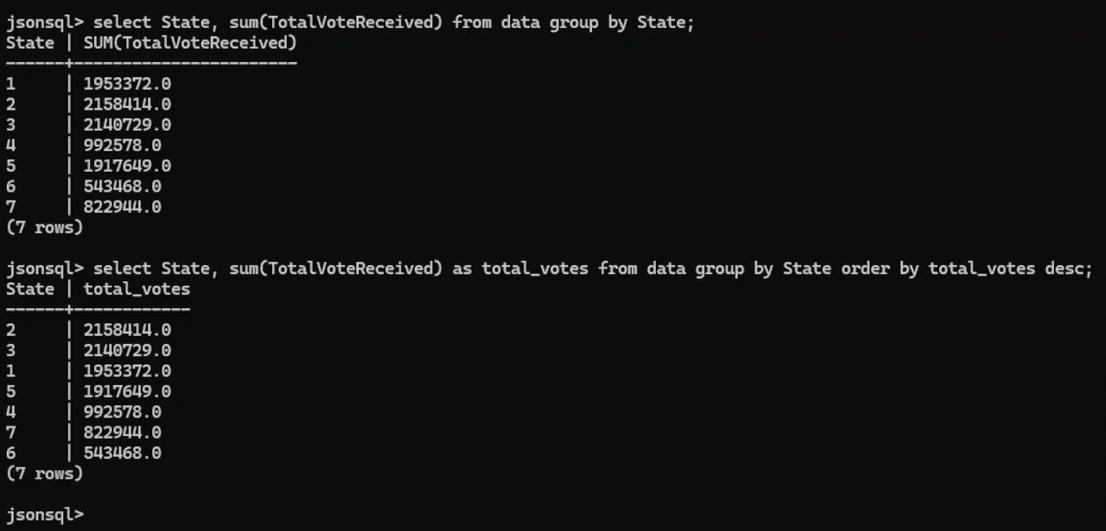
Aggregation and grouping
SELECT department, COUNT(*) AS total, AVG(age) AS avg_age
FROM users
GROUP BY department;
And HAVING works too:
SELECT department, COUNT(*) AS total
FROM users
GROUP BY department
HAVING COUNT(*) > 1;
Sorting and pagination
SELECT name, age FROM users ORDER BY age DESC;
SELECT * FROM users LIMIT 10 OFFSET 20;
Computed columns and views
SELECT name, age + 5 AS age_in_5_years FROM users;
CREATE VIEW adult_users AS SELECT * FROM users WHERE age >= 18;
These features make JsonSQL feel familiar to anyone who already knows SQL, which is exactly the point.
Built-in functions
JsonSQL includes a useful collection of built-in functions across several categories.
Aggregate functions
COUNT(*)COUNT(field)COUNT(DISTINCT field)SUM(field)AVG(field)MIN(field)MAX(field)
String functions
UPPERLOWERLENGTHTRIMLTRIMRTRIMSUBSTRREPLACECONCAT
Numeric functions
ABSROUNDCEILFLOOR
Null handling
COALESCEIFNULL
JSON helpers
JSON_EXTRACTJSON_TYPEJSON_LENGTHJSON_KEYS
Type conversion
CAST_INTCAST_FLOATCAST_STR
These are the kinds of functions that keep you from dropping back into Python every five minutes just to tweak formatting or cast values.
Using JsonSQL as a Python library
JsonSQL is not only a CLI tool. You can also import it into Python and use it programmatically through JsonSQLEngine.
Basic example:
from jsonsql import JsonSQLEngine

engine = JsonSQLEngine("data.json")
print(engine.query("SELECT name, age FROM users WHERE age > 30"))
You can also get raw structured results back:
result = engine.query_raw("SELECT name, age FROM users")
And query in-memory data directly:
from jsonsql import JsonSQLEngine

data = {
    "products": [
        {"id": 1, "name": "Widget", "price": 9.99},
        {"id": 2, "name": "Gadget", "price": 24.99},
    ]
}

engine = JsonSQLEngine(data)
print(engine.query("SELECT name, price FROM products WHERE price < 20"))
This makes JsonSQL handy for internal tools, scripts, testing workflows, and data-heavy applications where JSON is already the source of truth.
Error handling that feels developer-friendly
One subtle but important detail: JsonSQL includes a structured error model with exceptions like:
JsonSQLErrorParseErrorExecutionErrorTableNotFoundErrorFieldNotFoundErrorFunctionNotFoundError
A particularly nice touch is that unknown fields can include “Did you mean?” suggestions. That kind of developer experience matters a lot when you are iterating quickly on queries.
Plugins make it extensible
JsonSQL’s plugin system is one of its most exciting features.
A plugin is just a Python file with a register(registry) function. Through that registry, you can add:
- scalar functions
- aggregate functions
- output formatters
For example, you can register a custom aggregate like MEDIAN, add a scalar function like DOUBLE, or define a formatter that renders query output as Markdown.
That means JsonSQL is not locked into a fixed set of capabilities. You can shape it around your own workflows instead of forking the tool every time you need one extra function.
Example idea:
def register(registry):
    registry.add_scalar("DOUBLE", lambda x: x * 2 if x is not None else None)
Plugin discovery works both for built-in plugins in the project and external plugin directories passed via CLI or constructor.
The architecture is refreshingly clean
Under the hood, JsonSQL follows a clear flow:
CLI / Shell → Engine → Tokenizer → Parser → Executor → Formatter
The engine loads JSON, normalizes it into a {table_name: [row_dicts]} structure, then orchestrates parsing, execution, and formatting. Functions and plugins are handled through registries, which makes the system extensible without tangling the core logic.
A few standout design choices from the usage guide:
Everything becomes a dict of arrays
This creates a single internal mental model for all supported JSON inputs.Pluggable registries
Functions and formatters are resolved by name, and plugins just register new entries.Clean AST boundary
The parser emits AST nodes, and the executor handles them by type, making new syntax easier to add.Dot notation everywhere
Nested JSON access is first-class both in queries and internal handling.Graceful NULL handling
Missing fields resolve toNonerather than crashing.
This is the sort of architecture that suggests the project was built with maintainability in mind, not just hacked together for a one-off demo.
Who should use JsonSQL?
JsonSQL looks especially useful for:
- developers exploring API responses
- engineers inspecting fixtures and test data
- analysts working with exported JSON dumps
- backend teams debugging event payloads
- anyone who likes SQL more than writing one-off parsing scripts 😄
If your work regularly involves semi-structured data but you want the ergonomics of SQL, JsonSQL hits a very nice sweet spot.
Final thoughts
JsonSQL takes a common pain point — “I have JSON, and I need answers” — and gives it a simple, powerful interface: SQL.
What makes it compelling is not just that it works on JSON, but that it does so with:
- a familiar query language
- support for nested and array-heavy structures
- joins, aggregates, views, and built-in functions
- a usable interactive shell
- an extensible plugin system
- zero dependencies in pure Python
That combination makes it feel lightweight without feeling limited.
If you like tools that are practical, hackable, and developer-friendly, JsonSQL is definitely worth a look.
Repository: https://github.com/gopal-gautam/jsonql
Bonus: a sample intro for sharing this post
JsonSQL lets you query JSON files with plain SQL — including nested fields, JOINs, UNNEST, aggregates, views, and plugins. Lightweight, dependency-free, and surprisingly capable for day-to-day data exploration.